Local Map Window
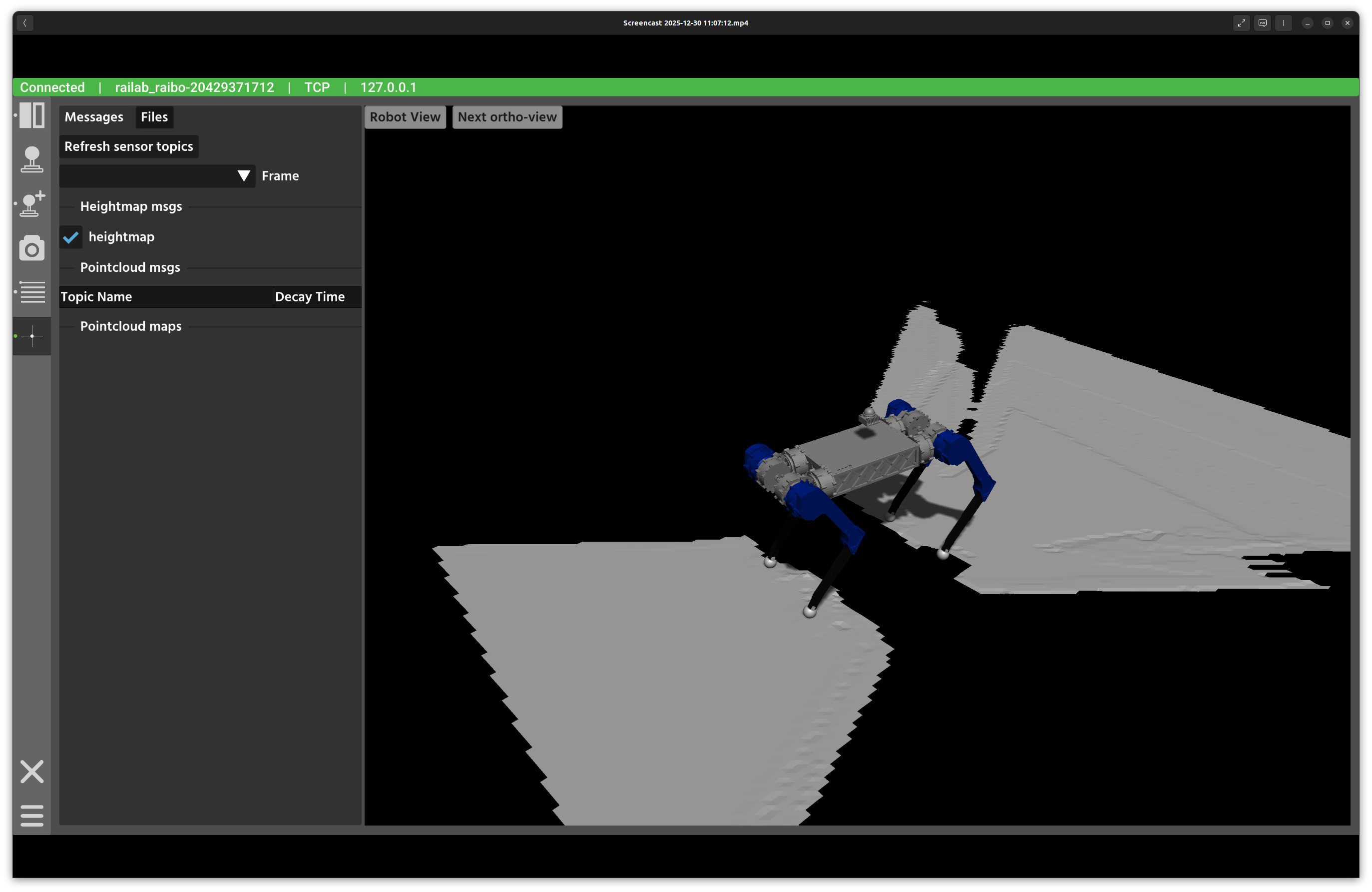
Local map visualization window.
Overview
In the screenshot above, the left panel manages map sources and parameters, while the right panel renders the 3D map view. The Messages and Files tabs let you switch between live topics and stored point clouds.
Layout
Messages tab: discover live heightmap and point cloud topics, and toggle them on or off.
Files tab: load
.pcdfiles from$HOME/.raisin/pointcloud_mapand publish an initial pose.3D viewer: Rayrai rendering of the selected map layers and robot frame.
View controls: Robot View and Next Ortho-View buttons in the viewer.
Controls and Indicators
Refresh sensor topics rebuilds the list of heightmap and point cloud publishers.
Frame selector chooses the fixed frame used for visualization.
Decay time sets point cloud persistence for each topic.
Load Point Cloud loads a file using the selected unit scale.
Publish sends an initial pose via
/initialpose.
Data Sources
Heightmaps use
raisin_interfaces::msg::Heightmap.Point clouds use
sensor_msgs::msg::PointCloud2.The robot state is updated via
robot_statefor the 3D context.
Notes
Use the unit selector when loading maps created in millimeters or micrometers.
If the frame list is empty, refresh topics after connecting to a robot.