Raidrive Window
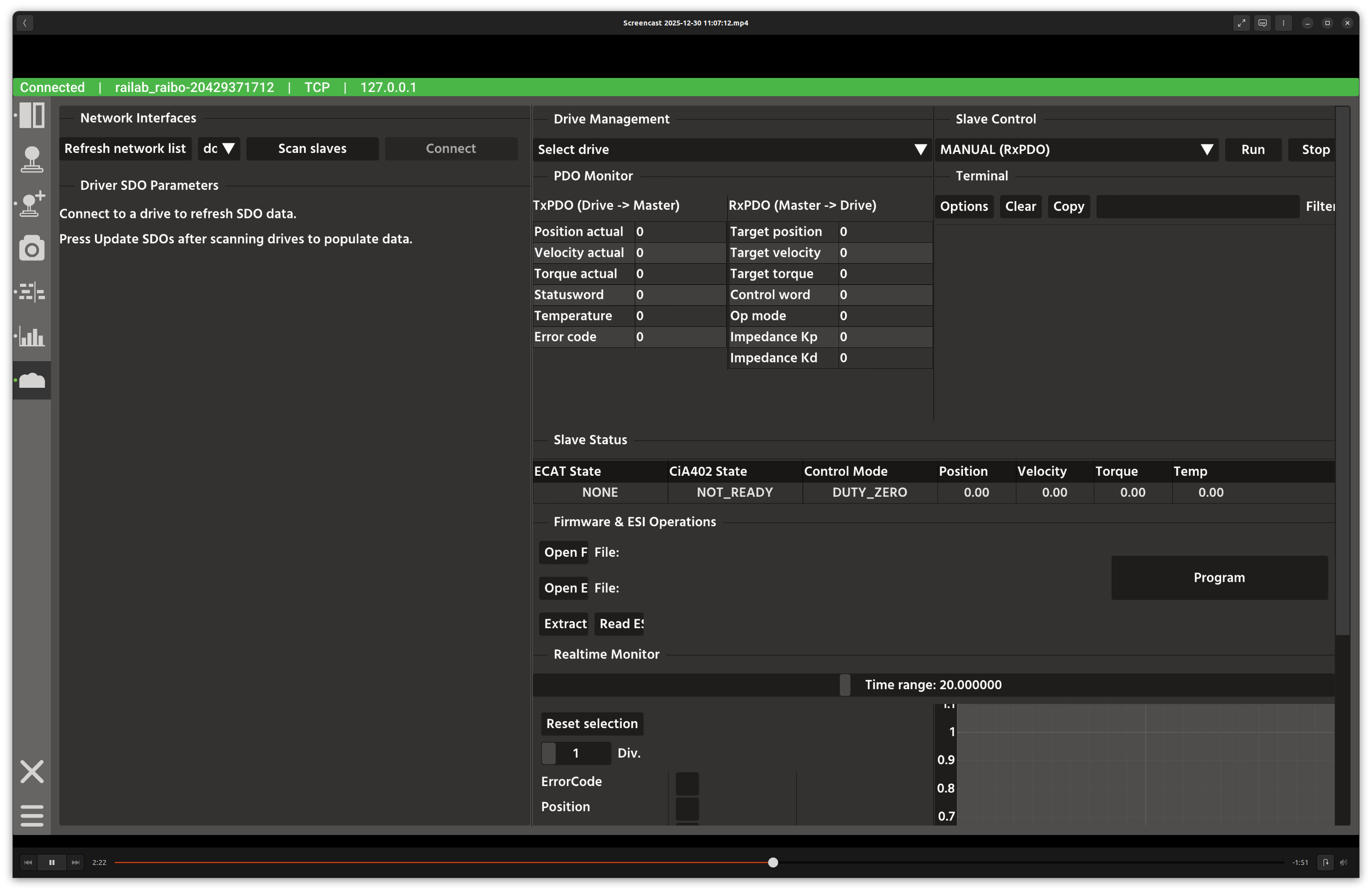
Raidrive diagnostics window.
Overview
In the screenshot above, the left column focuses on EtherCAT interfaces and SDO parameters, while the right column contains live status, firmware tools, and real-time monitoring widgets.
Layout
Network Interfaces: select and refresh available EtherCAT interfaces, scan slaves, and connect/disconnect.
Driver SDO Parameters: read and display configurable drive parameters.
Slave Status: live ECAT state, CiA402 state, control mode, and telemetry.
Firmware & ESI Operations: open firmware/ESI files and program drives.
Realtime Monitor: plots of target/position/velocity/torque/temperature.
PDO Monitor: live TX/RX PDO values and edit controls.
Terminal: log output for firmware and diagnostic actions.
Controls and Indicators
Update SDOs reads parameter values from the selected drive.
Open Firmware / Open ESI launch file pickers for
.binpayloads.Program triggers firmware updates with confirmation dialogs.
Run / Stop control waveform commands for selected drives.
Data Sources
EtherCAT telemetry is provided by the internal Raidrive manager.
SDO metadata maps provide human-readable labels for indices.
Notes
Firmware updates require stable power; confirm the selected drive before proceeding.
Use the PDO monitor to verify low-level I/O when debugging drive behavior.