FFmpeg Window
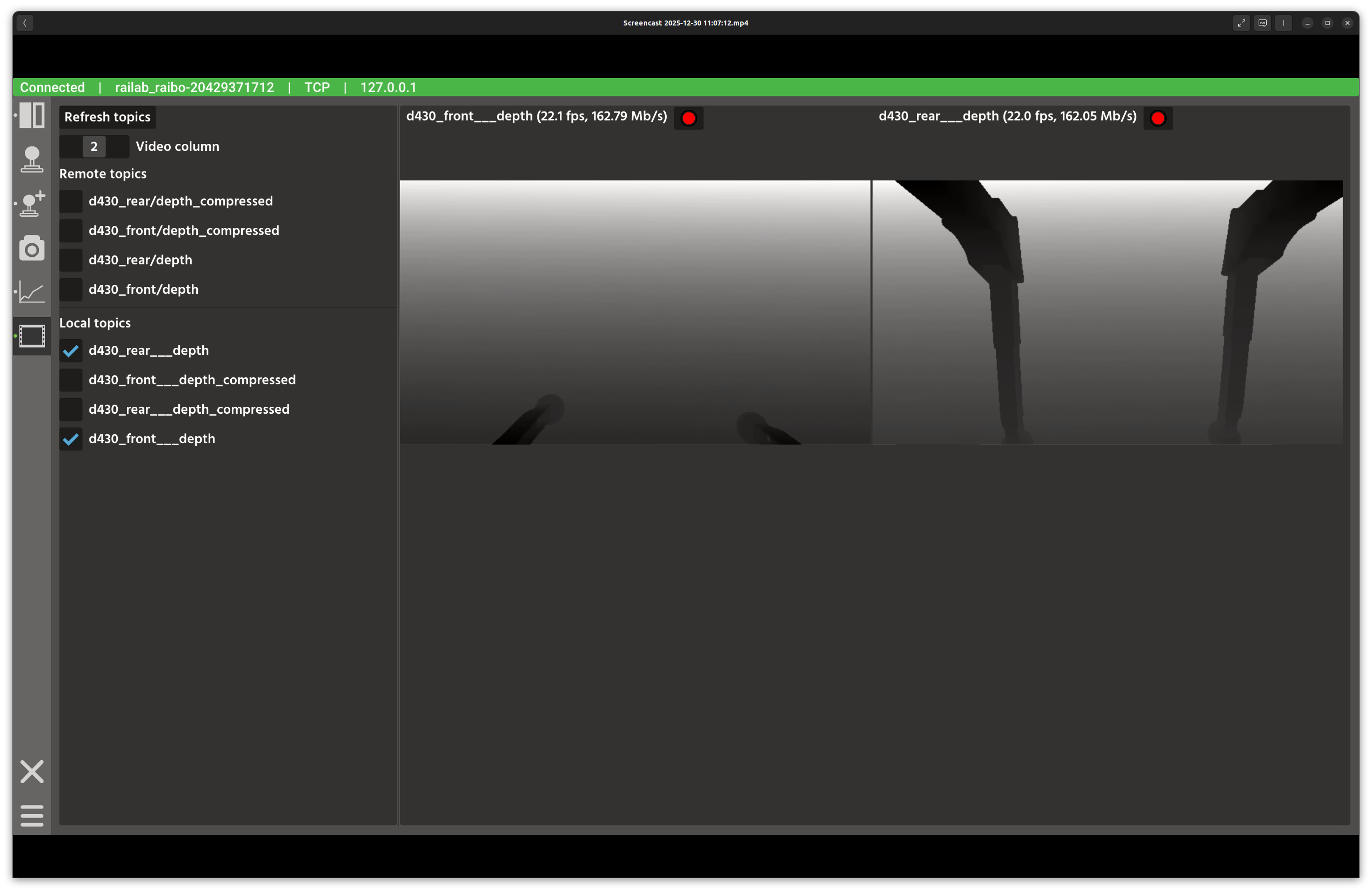
FFmpeg camera viewer window.
Overview
In the screenshot above, the left panel lists available video topics, while the right panel renders selected streams in a grid. A column slider controls how many streams appear per row.
Layout
Topic list: remote topics (from the active connection) and local topics (published on the GUI machine).
Grid controls: slider to set the number of columns in the video grid.
Video tiles: one tile per selected topic, rendered with a fixed aspect ratio.
Controls and Indicators
Refresh topics repopulates the topic list from the connection and local publishers.
Checkboxes create or remove camera widgets for each selected stream.
Video column slider adjusts the grid layout from 1 to 3 columns.
Data Sources
Remote topics support
raisin_interfaces::msg::FfmpegPacketandsensor_msgs::msg::Image.Local topics are discovered through the local publisher registry.
Notes
Remote topics require an active connection; local topics do not.
Use fewer columns for larger previews when inspecting fine detail.